Master Indicator
Setup Walkthrough
Follow these steps to upgrade your chart setup in about 3 minutes. Click through at your own pace.
STEP 1 OF 10
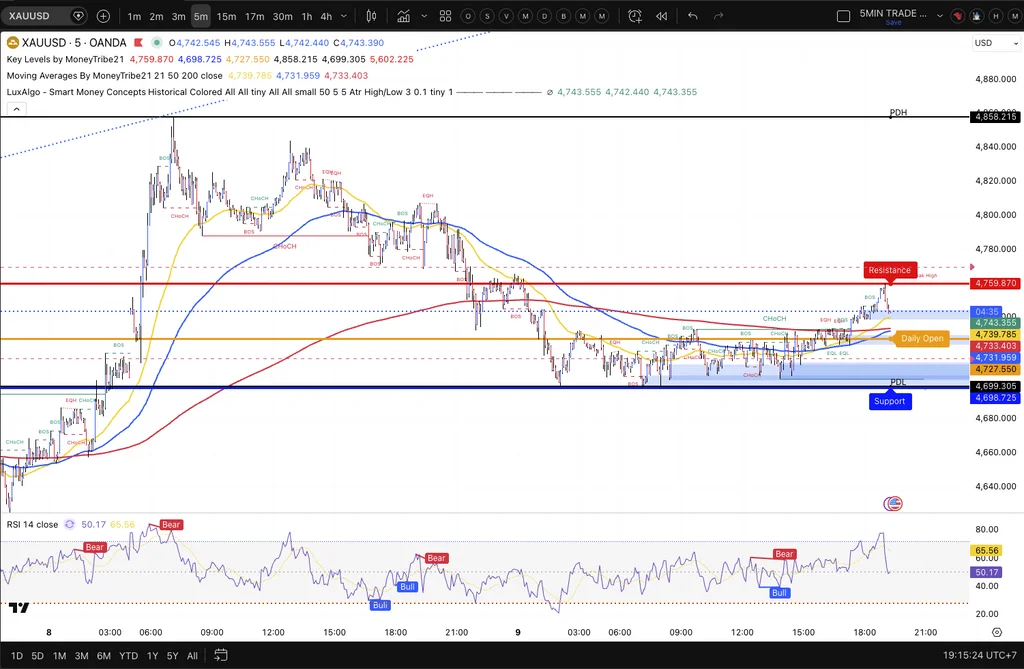
Your current chart
BEFORE YOU START
You currently have Lux Algo, Key Levels and Moving Averages running. All three need to be removed before installing the MoneyTribe Master Indicator.
STEP 2 OF 10
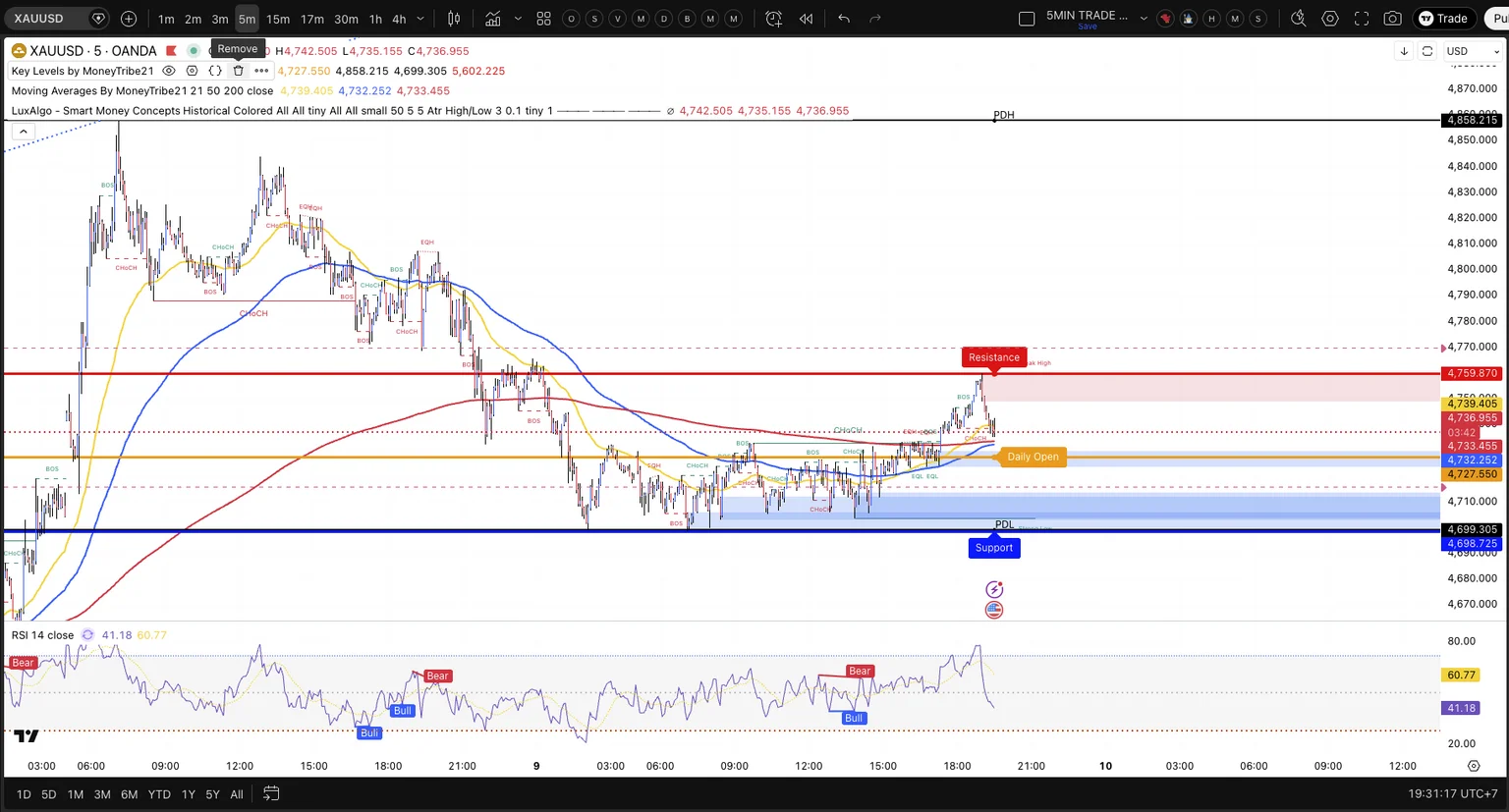
Remove old indicators
Right-click → Remove
Hover over each old indicator chip, then click Remove. Do this for Lux Algo, Key Levels, and Moving Averages until the toolbar is clear.
STEP 3 OF 10
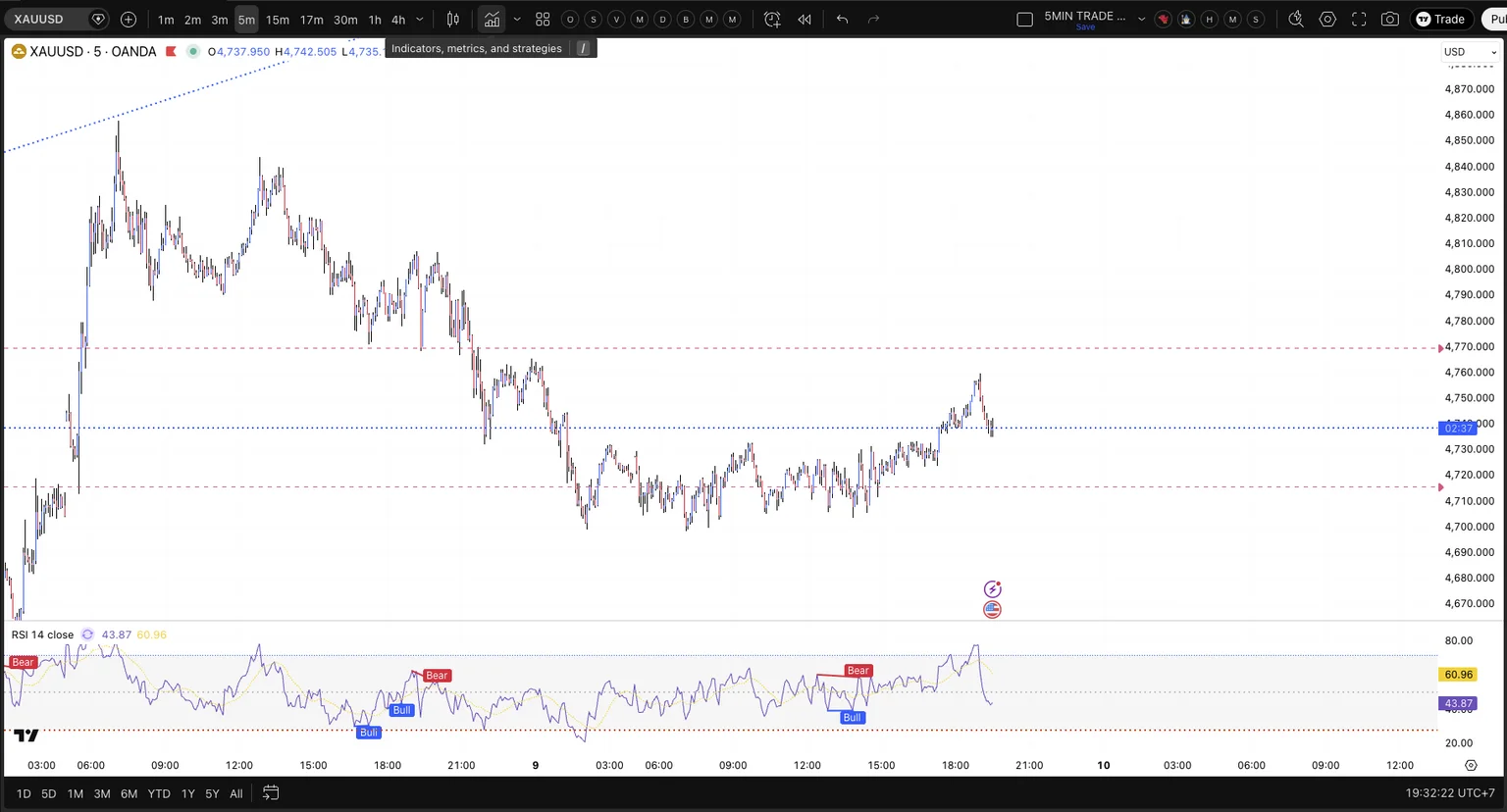
Open the Indicators panel
Indicators button
Your chart is now clean. Click the Indicators button (shown highlighted) to open the search panel where you'll find the new indicator.
STEP 4 OF 10
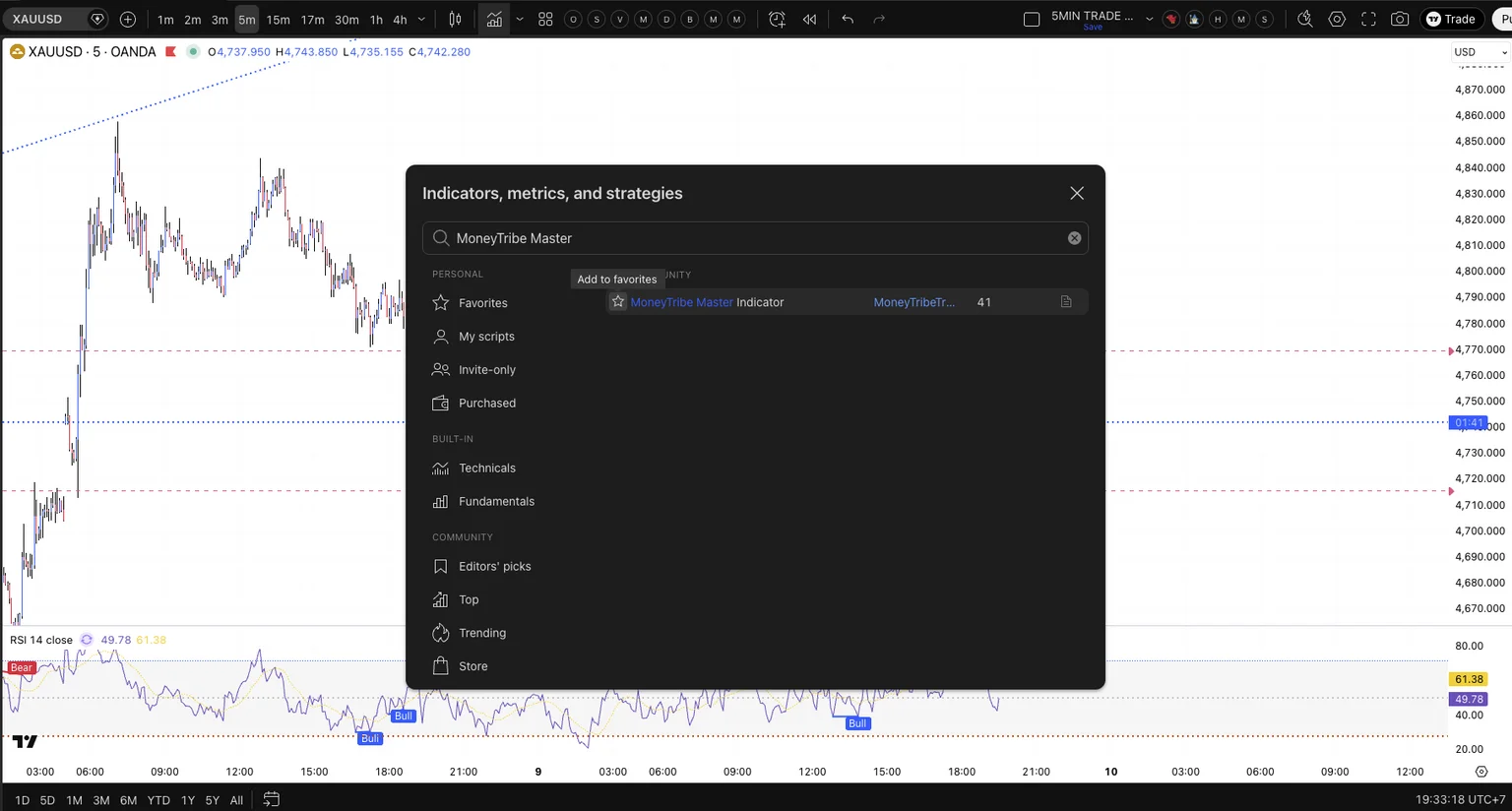
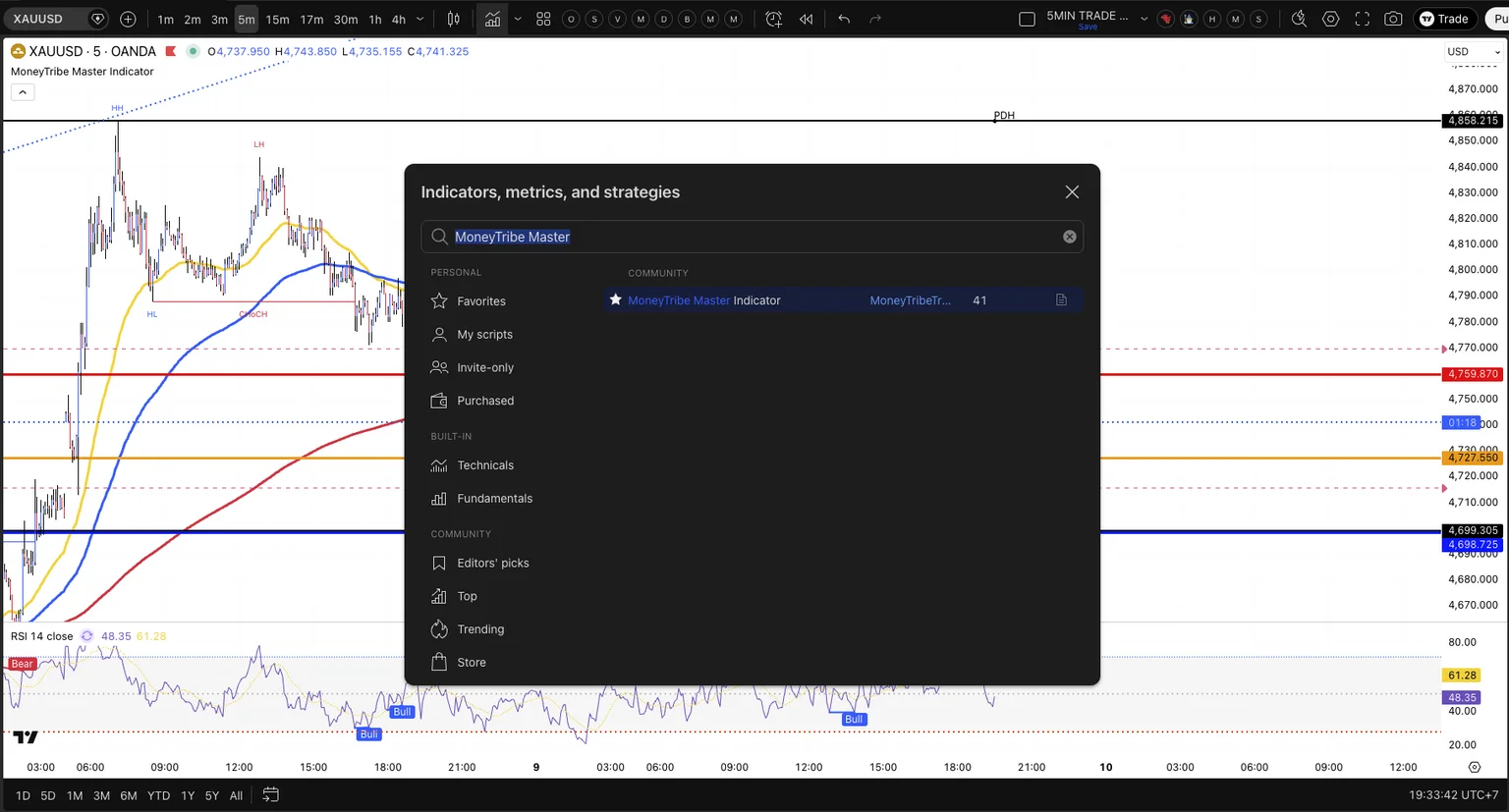
Search for the indicator
Type & star it
Type "MoneyTribe Master" in the search box. When the result appears, click the star icon (shown highlighted) to add it to your Favourites.
STEP 5 OF 10
Added to favourites
Now click it to apply
The star is now filled — the indicator is saved to your Favourites. Click on the result name to add it to your active chart.
STEP 6 OF 10
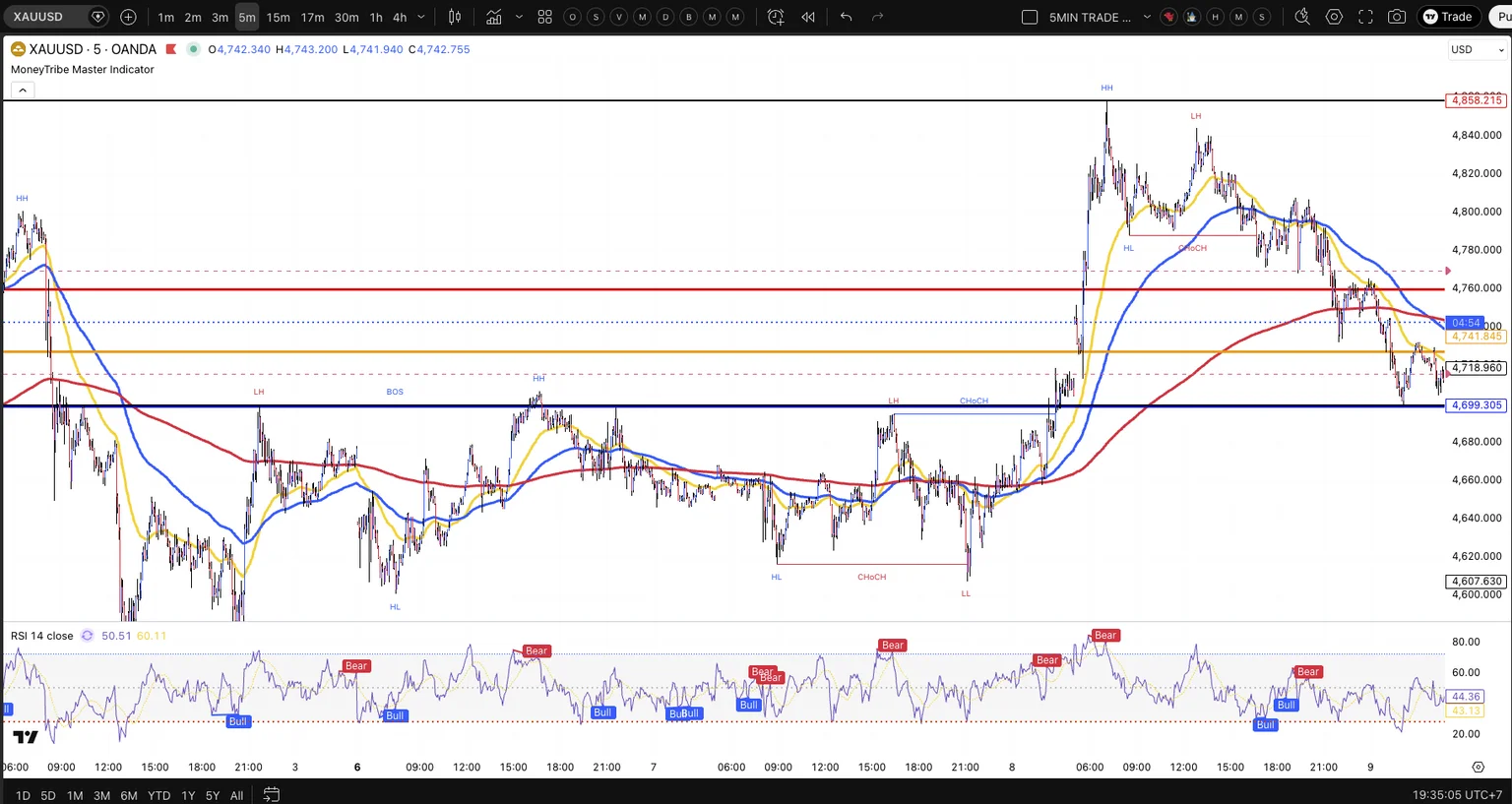
Indicator on your chart
Looking good
The MoneyTribe Master Indicator is now live on your chart showing the 21, 50 and 200 SMAs plus market structure labels: HH, HL, LH, LL, BOS and CHoCH.
STEP 7 OF 10
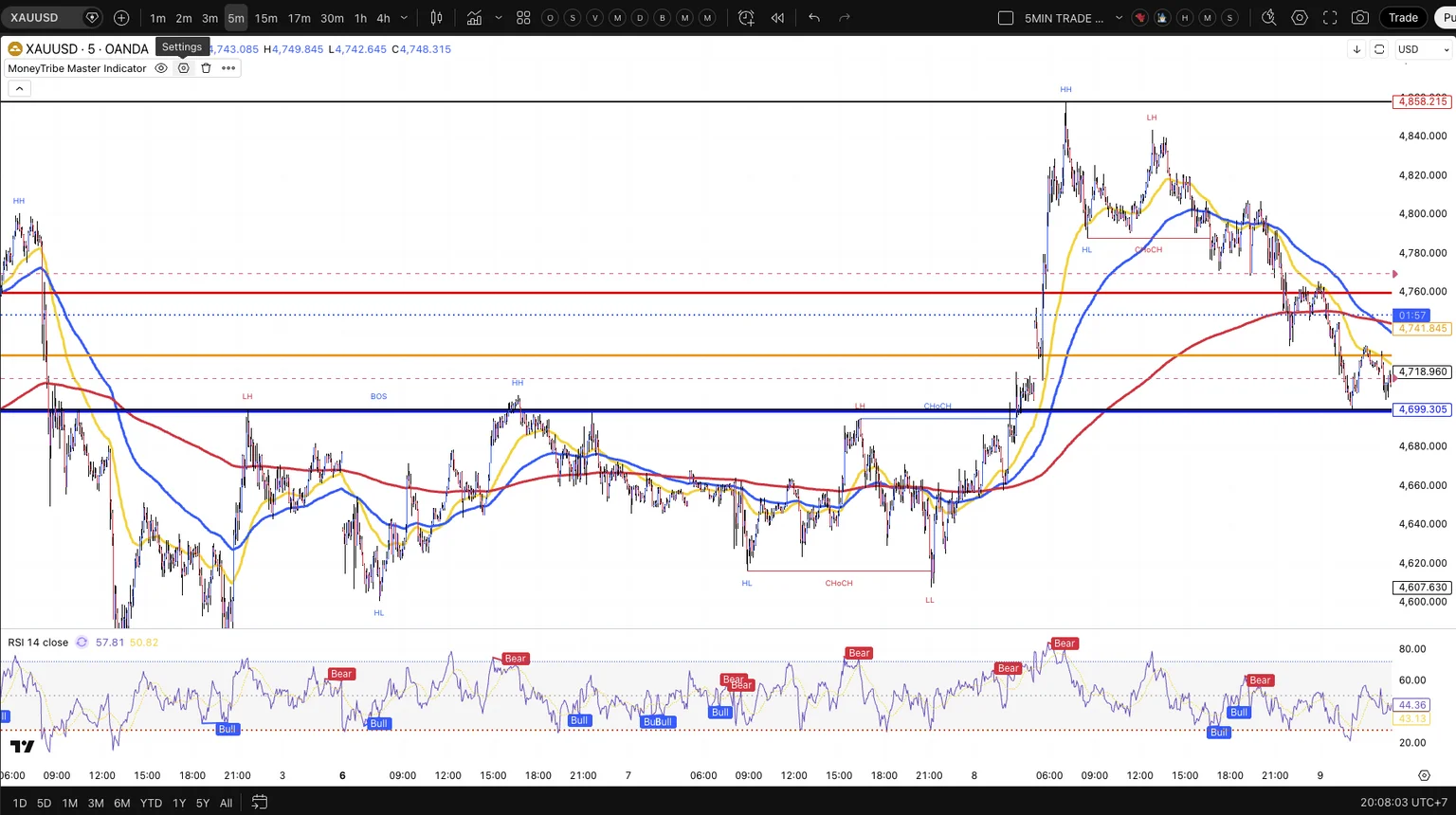
Open the Settings
Open Settings
Click the Settings icon on the MoneyTribe Master Indicator chip at the top of your chart to open its configuration panel.
STEP 8 OF 10
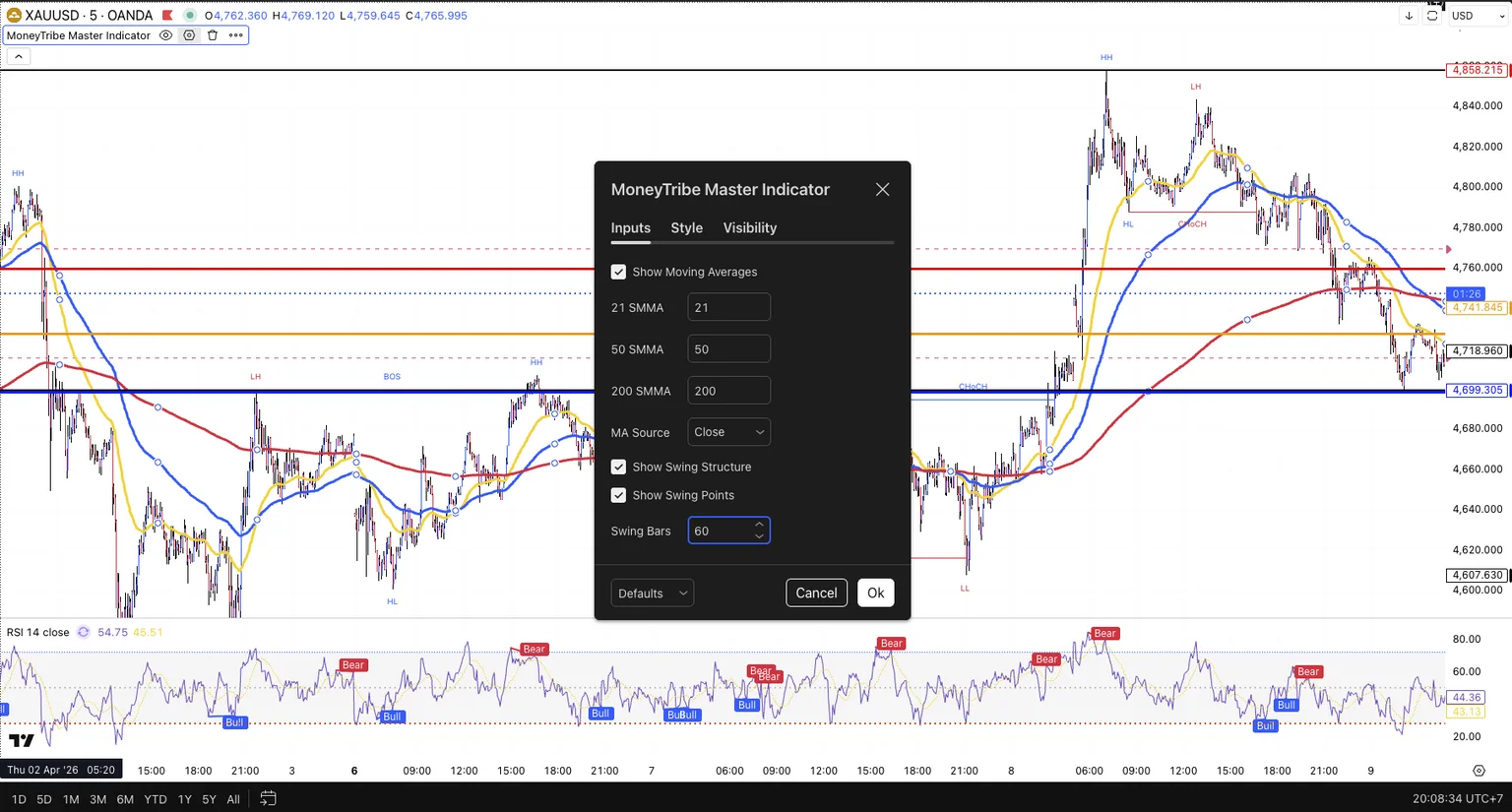
Set Swing Bars to 60
Swing Bars = 60
In the Inputs tab, find Swing Bars (highlighted). Justin's default is 60 for normal market conditions. Use 80 during high volatility. Then click Ok.
STEP 9 OF 10
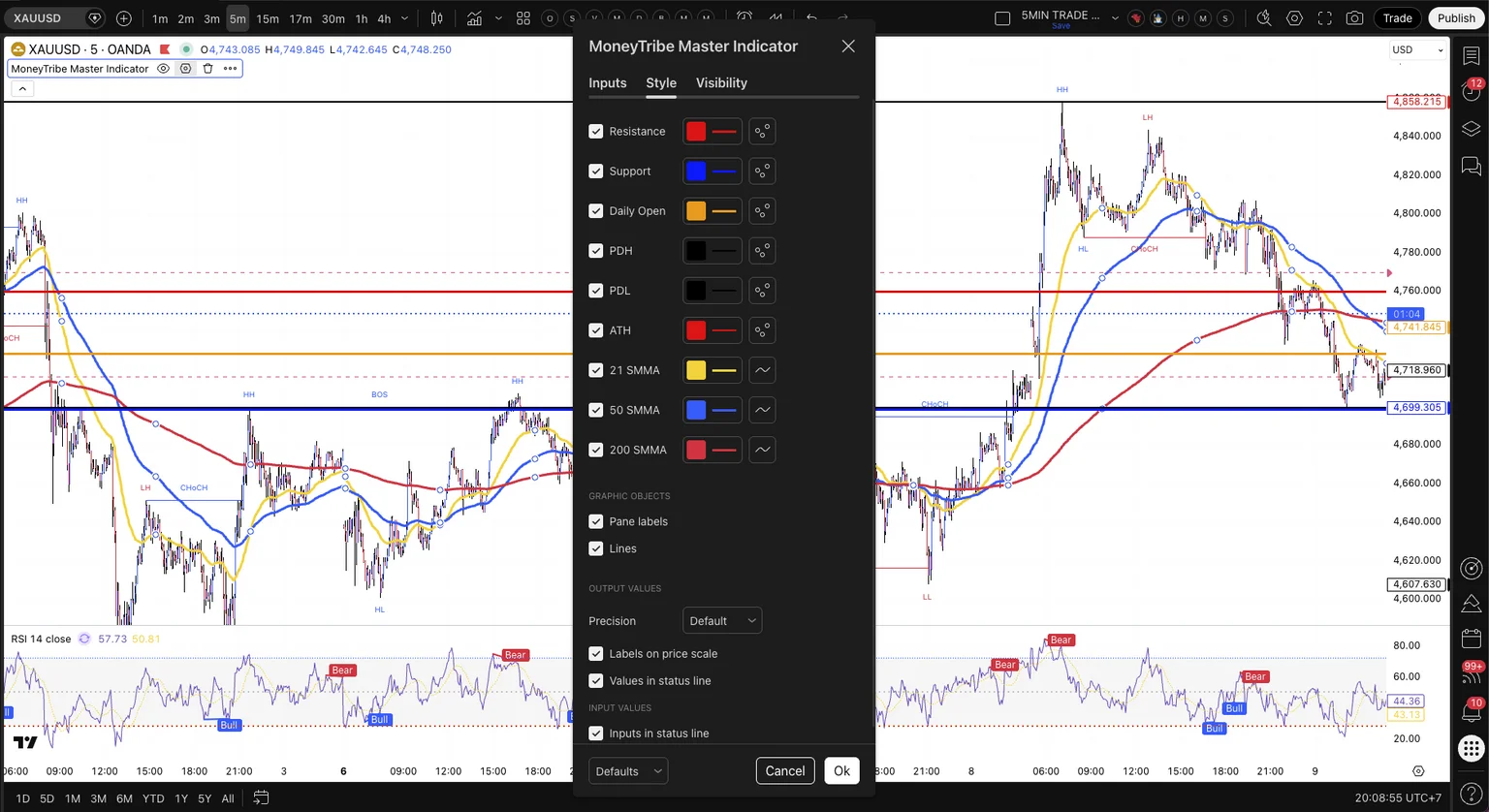
Style — leave or customise
Style tab
The Style tab lets you change the colours of each element. Justin's defaults are shown here — leave these as-is or tweak the colours to your preference, then click Ok.
STEP 10 OF 10
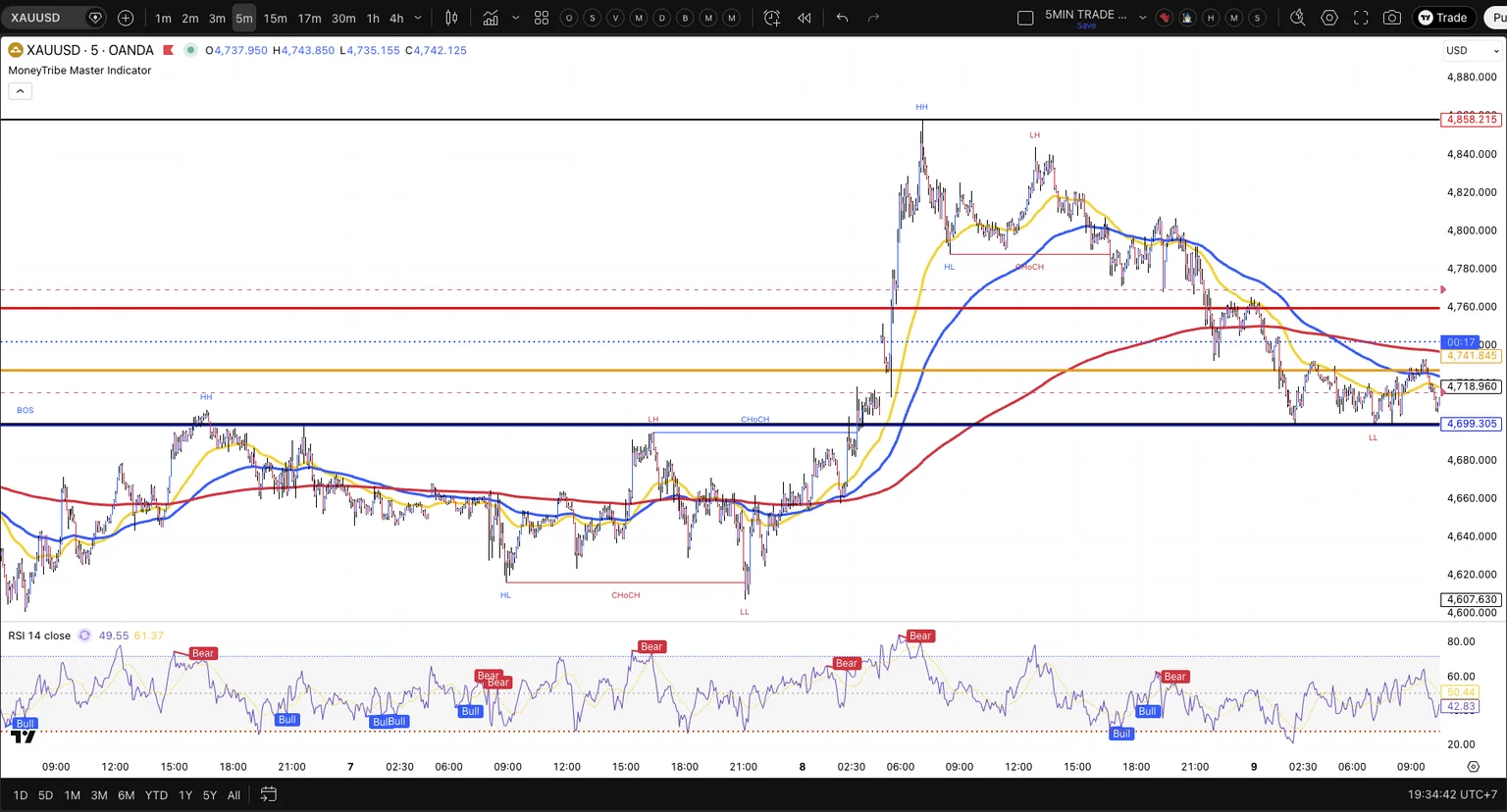
Setup complete
You're ready to trade
This is your chart exactly as Justin uses his. MoneyTribe Master Indicator with the 21, 50 and 200 SMAs, market structure labels, key levels and RSI below. That's everything you need.
You're ready to trade.
Your chart is now running the MoneyTribe Master Indicator exactly the way Justin sets his up. Clean. Simple. Powerful.